


Understanding Quest X10 Target Identification
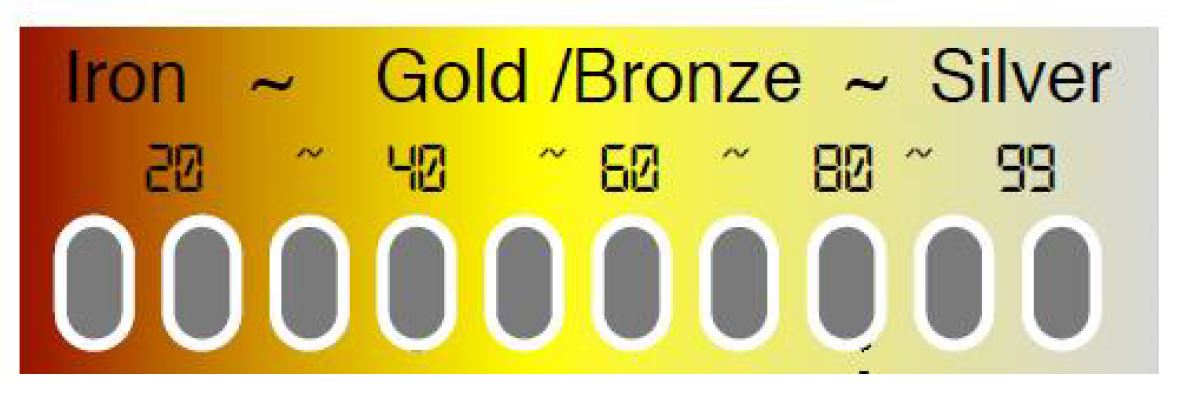
The Quest X10 metal detector uses advanced target identification to help you decide what's worth digging. When you sweep over a target, the detector's circuitry analyzes the signal strength and assigns a conductivity number from 1 to 99. This Target ID system gives you crucial information before you start digging.
Iron targets typically register at the lower end of the scale (1-30), while high-conductivity metals like copper and silver appear at the upper range (70-99). The Target ID number displays in the center of your LCD screen, and the corresponding segment bar at the top turns black to show you exactly where your target falls on the conductivity scale.
Target ID Accuracy Tips
Don't expect perfect target identification in trashy areas. Ground conditions, target depth, size, and orientation all affect accuracy. You'll see slight variations in Target ID numbers as you sweep back and forth - that's normal. But if the number jumps around by 20 or more points, you're probably looking at trash.
Before heading out, test known targets in your backyard. Bury a penny, nickel, quarter, and some iron junk at different depths. This gives you a baseline for how targets will sound and register on your specific soil conditions.
Quest X10 Advanced Programming Features
Sensitivity Settings
Here's where most people mess up their Quest X10 performance. Cranking sensitivity to 99 doesn't make you find more targets - it makes you dig more trash and deal with constant chatter. The sensitivity control adjusts how strong a signal needs to be before the detector responds.
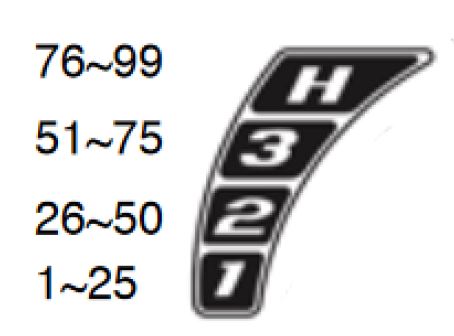
Set it too high and you'll get false signals from electrical interference, ground minerals, and even bumping your coil on rocks. Set it too low and you'll miss small or deep targets. The sweet spot is usually between 60-90, but ground conditions determine your actual usable range.
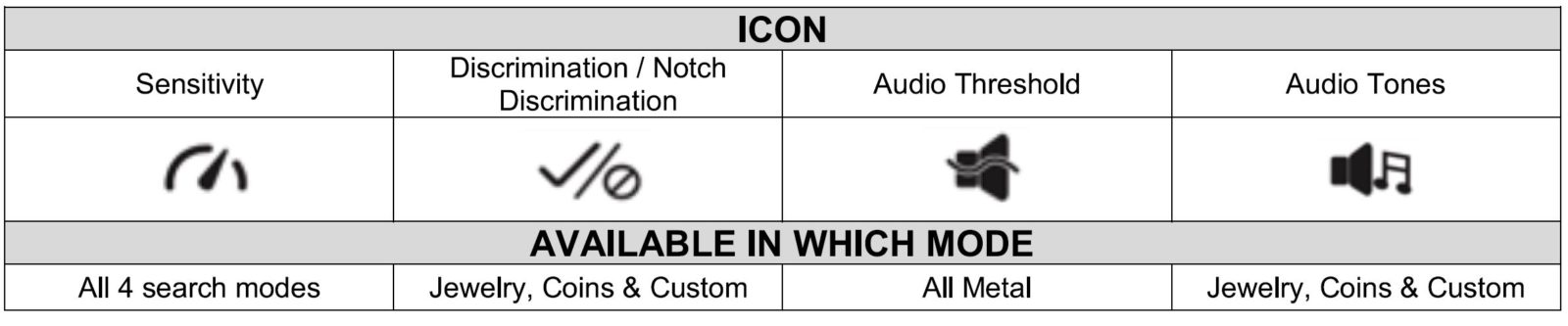
To adjust sensitivity, press MENU and highlight the first icon. Use the UP/DOWN arrows to find the highest setting that doesn't cause false signals when you sweep over clean ground.
When to Lower Sensitivity
- Highly mineralized soil: Drop sensitivity and re-ground balance your detector
- Shallow target hunting: Looking for recently lost jewelry? Try sensitivity at 50 or less
- Saltwater beaches: You'll need lower sensitivity in wet sand to maintain stability
- Trashy areas: Heavy iron contamination requires reduced sensitivity for stable operation
Discrimination and Notch Settings
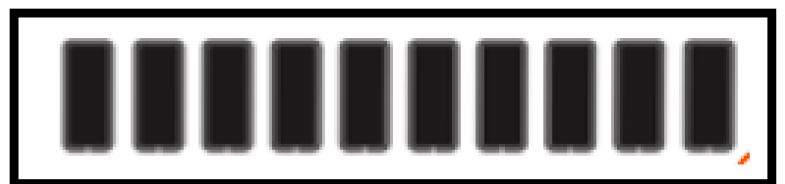
The Quest X10's discrimination system lets you reject unwanted targets using ten segments representing Target ID ranges (1-10, 11-20, etc.). Black segments are accepted targets, clear segments are rejected.
Important: Discrimination isn't available in All Metal mode, which accepts everything for prospecting and archaeological work. The COINS and JEWELRY preset modes already reject common trash targets and work well for most treasure hunting.
To customize discrimination patterns in USER mode, press MENU until you see the discrimination icon. Use UP/DOWN arrows to select segments, then press MENU to toggle them between accepted (black) and rejected (clear). Your custom pattern saves automatically when you power off.
Audio Threshold for All Metal Mode
When you're prospecting or want maximum sensitivity, All Metal mode runs a constant background hum called threshold. This helps you hear tiny changes in audio that indicate small gold nuggets or deep targets.
Set the threshold so you can barely hear it - loud enough to notice changes but not annoying. Select All Metal mode, press MENU to reach the audio threshold icon, then adjust with UP/DOWN arrows until it's comfortable.
Audio Tone Options
The Quest X10 offers six different audio setups to match your hunting style:
- C1: Single tone for all targets - gives no target information but simple to use
- C2: Two tones - low for iron, mid-tone for everything else
- C3: Three tones - low for iron, mid for general targets, high for copper/silver
- C4: Four tones - low iron tone plus three higher zones for Target ID 20-99
- C5: Five tones - low iron tone plus four zones for better target classification
- C6: Variable pitch based on signal strength rather than target type
For general treasure hunting, C3, C4, or C5 give you the best target information. You can identify target types by sound, then check the Target ID number to decide if it's worth digging. C2 and C6 work better for relic hunting or when you're looking for shallow targets in clean areas.
Real-World Quest X10 Performance Tips
Ground Balancing Strategy
Don't set your sensitivity first, then ground balance. Do it the other way around. Ground balance in the area you plan to hunt, then gradually increase sensitivity until you start getting false signals. Back it down a notch or two from that point.
Target Recovery Speed
In trashy areas, slow down your sweep speed. The Quest X10 needs time to process complex signals when multiple targets are close together. A fast sweep might miss good targets masked by iron junk.
Battery Performance Considerations
Higher sensitivity settings drain batteries faster. If you're planning a long detecting session, consider running slightly lower sensitivity to extend battery life without significantly impacting target detection on shallow finds.
Frequently Asked Questions
Why does my Target ID jump around so much?
Large variations (20+ points) usually indicate trash targets, multiple targets close together, or highly mineralized soil interfering with the signal. Try approaching the target from different angles or reducing sensitivity.
Should I use preset modes or create custom settings?
Start with COINS or JEWELRY presets - they work well for most situations. Once you understand how your detector responds to local conditions and trash patterns, then experiment with custom USER mode settings.
How deep will the Quest X10 detect targets?
Depth depends on target size, soil conditions, and sensitivity settings. A quarter-sized target might reach 8-10 inches in good soil, while larger targets like silver dollars could hit 12+ inches. Small gold jewelry typically maxes out around 6-8 inches.
